
Canvas walkthrough
See Unfold inside a Canvas assignment.
Instructors create the assignment in Canvas, students launch Unfold from it, and instructors return to review the paper and recorded reasoning.
Captured in a local Canvas test environment using synthetic data. This is a guided walkthrough, not a live sandbox. Canvas appearance varies by institution, and Unfold does not currently send grades to the Canvas gradebook.
Create the assignment
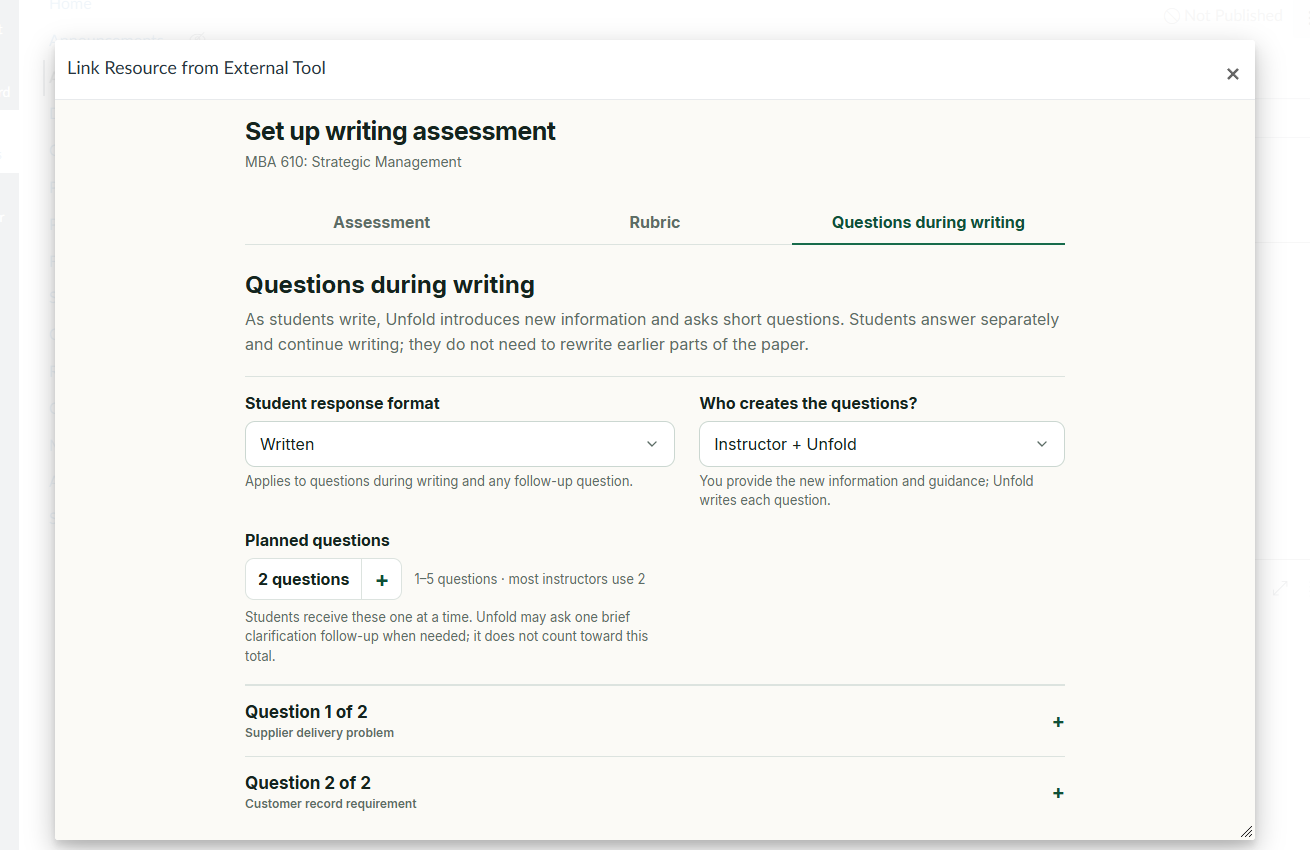
Choose Unfold as the external tool, then add the prompt, rubric, and Questions during writing without leaving the Canvas assignment flow.
 View full-size screenshot
 Students work in Unfold
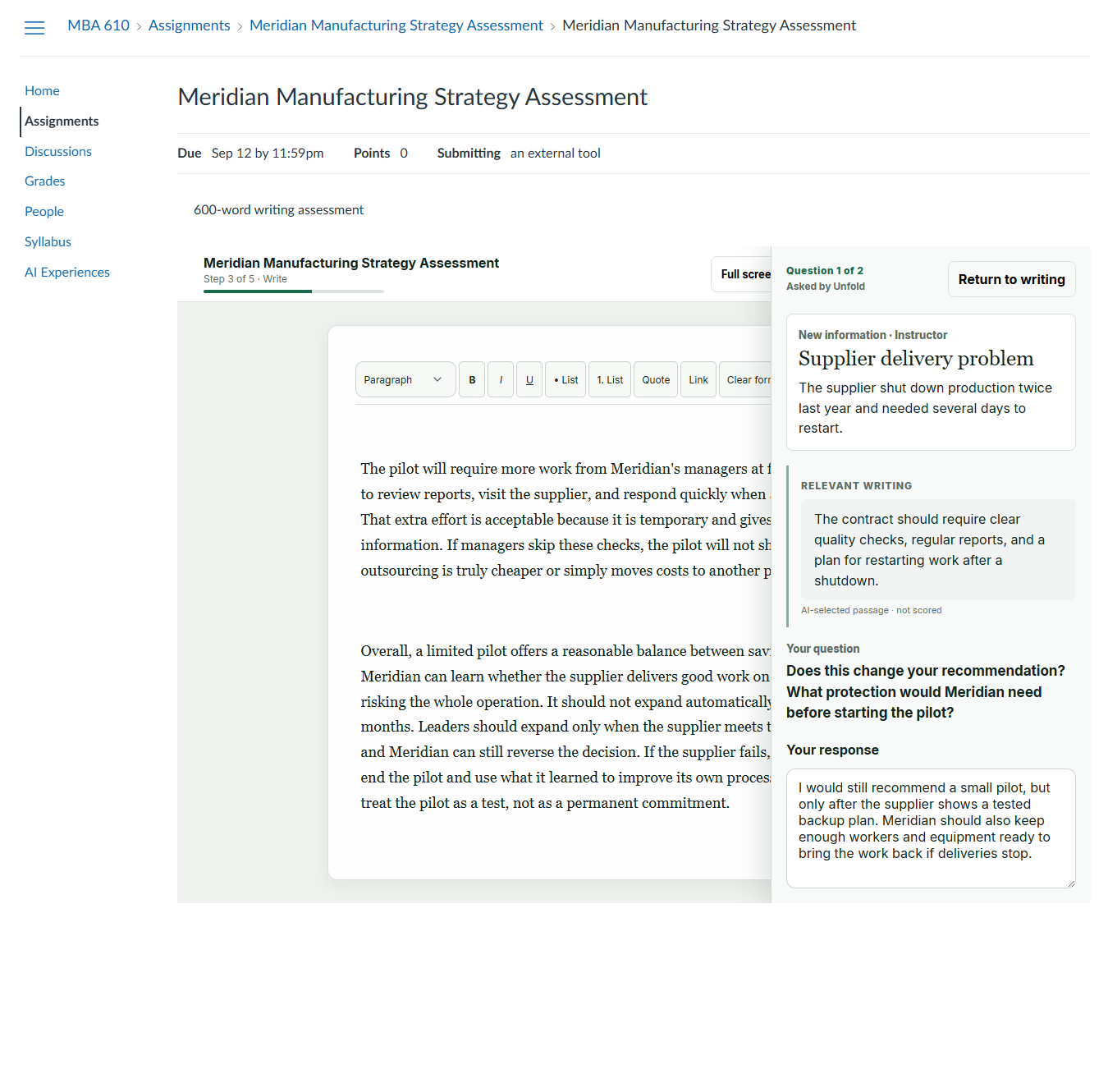
Students launch the Canvas assignment and complete the writing activity in Unfold. Questions during writing appear alongside their draft.
 View full-size screenshot
 Review the evidence
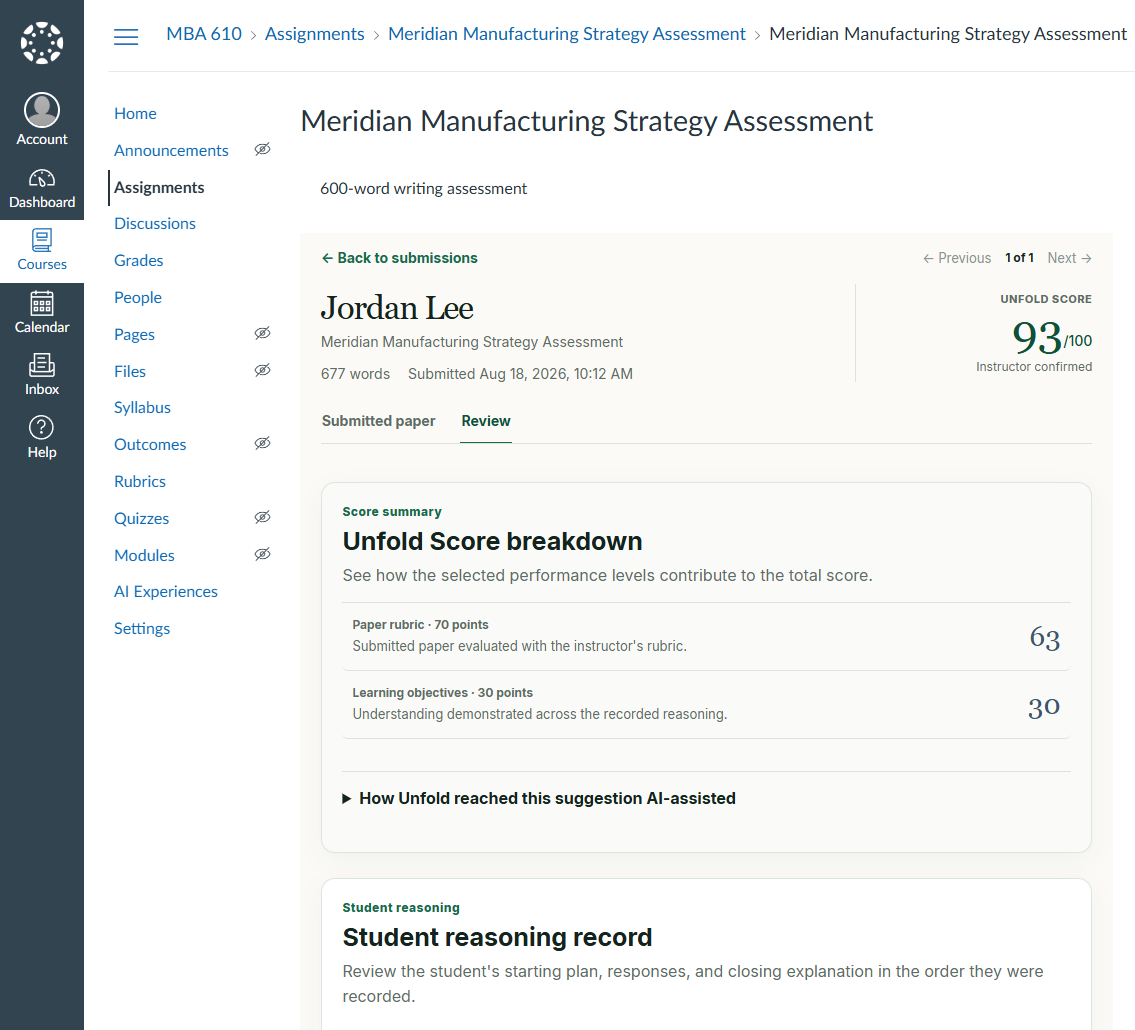
Instructors return through Canvas to review the submitted paper and recorded reasoning, add feedback, confirm or change the Unfold Score, and decide when to share results.
 View full-size screenshot
Want to try Unfold?
Open Moodle demo